Job board

Your entire pipeline, one board

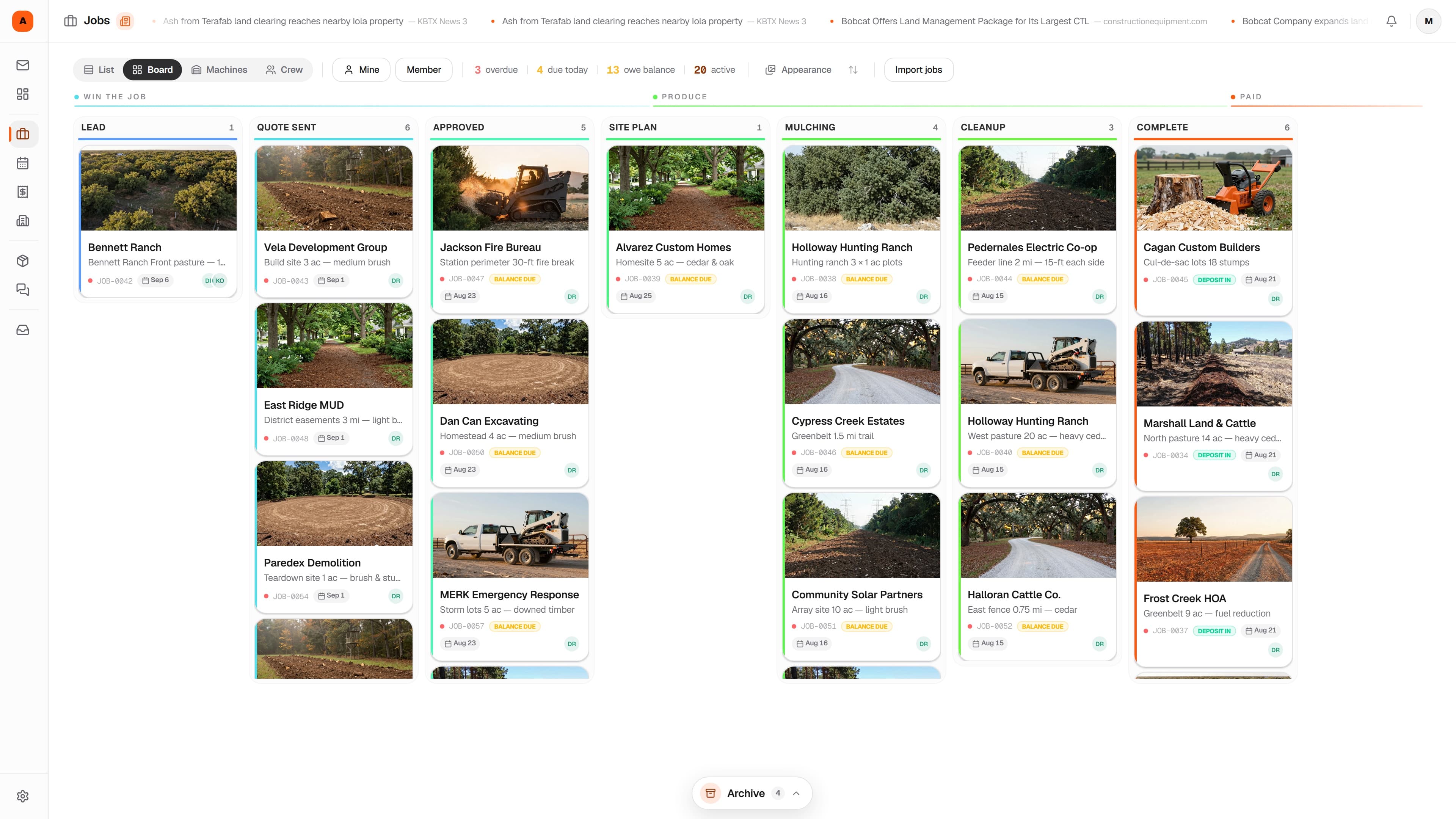
Stop tracking jobs on a whiteboard and a group text. Mastiff gives you a visual Kanban board built for land clearing. Drag jobs from quoted to closed out, assign the crew, and never lose track of a single property.

Mastiff Free · $0 forever · No credit card

Job board — the Mastiff web app
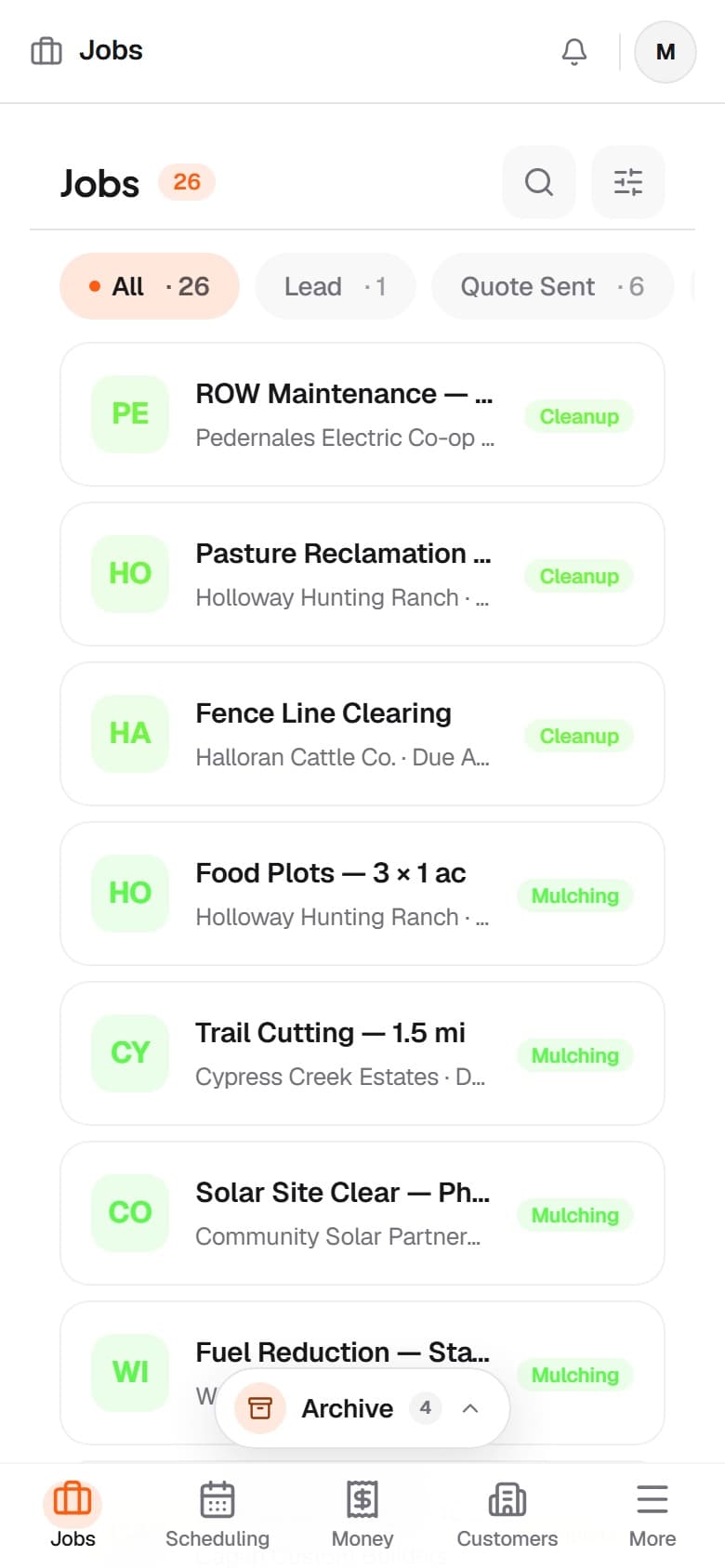
Job board — the Mastiff mobile app

Job board — desktop and phone, captured from the live product.

The problem

Whiteboards and spreadsheets don't scale

You're chasing 14–20 billable days a month. You need a system that keeps up.

Without Mastiff

  • Jobs tracked on a whiteboard or sticky notes
  • No visibility into what stage jobs are in
  • The crew asking "where are we Monday?" constantly
  • Committed dates missed because a job fell off the radar
  • No templates, every job starts from scratch

With Mastiff

  • Visual Kanban board with every active job
  • Drag jobs through Quoted, Scheduled, In Progress, Final Walk, Invoiced
  • Crew members see their assigned jobs and priorities
  • Deadline alerts and overdue job highlighting
  • Job templates for forestry mulching, cedar clearing, right-of-way, and more
  • Signed pre-work site condition reports, locked once the landowner signs

Try it

This is the real thing. Click it.

Live demo — click it
Lead2
JOB-0048
Cedar Clearing

Hill Country Ranch Partners12 ac · HEAVY — Dripping Springs, TX

Quote Sent1
JOB-0043
ROW Clearing

Brazos Valley Co-op2.4 mi corridor — Milam County

Approved1
JOB-0047
Lot Clearing

Jackson Custom Homes1.5 ac · MEDIUM — Georgetown, TX

Deposit paid
Scheduled1
JOB-0039
Pasture Reclamation

Apex Cattle Co.40 ac · MEDIUM — Lampasas, TX

On Site1
JOB-0044
Fire Mitigation

Owl Creek HOADefensible space · 22 lots

Clearing1
JOB-0045
Forestry Mulching

Active Land Co.6 ac · LIGHT — Liberty Hill, TX

Complete1
JOB-0037
Food Plot

MERK Outfitters3 ac · LIGHT — Burnet, TX

Paid

Collected this month

$23,400

Click JOB-0042 to move it down the line

How it works

From setup to done.

01

Create a job

Add customer, property, and service details — acreage and density included. Or use a template to pre-fill everything in seconds.

02

Drag through your pipeline

Move the job from Quoted to Scheduled to In Progress. Your crew sees exactly where every job stands.

03

Track days and costs

Log machine hours, assign operators, record fuel and teeth against the job. Everything stays connected to the work.

04

Close and invoice

Walk the property, mark complete, generate the invoice, and notify the customer. Job history saved forever.

Capabilities

Everything in the box.

  • Drag-and-drop Kanban

    Move jobs between stages with a drag. See your entire pipeline at a glance, color-coded by priority, service, or deadline.

  • Custom pipeline stages

    Quoted, Scheduled, Mobilized, In Progress, Final Walk, Invoiced. Build the stages that match how your operation actually runs. Add, rename, or reorder anytime.

  • Job templates

    Forestry mulching, cedar and mesquite clearing, pasture reclamation, right-of-way. Create templates with pre-filled stages, checklists, and line items.

  • Smart tags and filters

    Tag by service, density class, priority, or operator. Filter the board instantly to find every job in one click.

  • Deadline tracking

    Set due dates and see overdue jobs highlighted. Get notified when a job sits in one stage too long.

  • List, board, and calendar views

    Switch between Kanban board, sortable list, and calendar view. Same data, different perspective.

  • Stage spotlight

    Click a stage title and its cards open in a spotlight over the blurred board. Rename a job, swap its cover photo, or set a due date right there — then close it and keep moving.

  • Backgrounds & office TV

    Set a custom board background so the board feels like yours. Then put the live pipeline view on the shop or office screen — the whole crew reads the week from across the room.

  • Job packets & crew work link

    Print a job packet — overview, checklists, and site maps — or share a no-login work link so an operator runs the job from their phone in the field, with timers, the completion checklist, and stage advance.

  • Site walkthroughs & condition reports

    Before the machine unloads, run a graded walkthrough from your own checklist template — photos, video clips, notes on fences, culverts, septic lids, and anything already damaged — and capture the landowner's signature on a tablet. Once signed, the report is locked from deletion — the before-state that settles a "your machine did that" dispute before it starts. Completed walkthroughs post to the customer's tracking page and export as a PDF.

  • Stage sign-off gates

    Flip on "require sign-off" for any stage, and jobs can't move forward until that stage's checklist is complete and signed by an assigned teammate. Moving backward always stays free — it's a quality gate, not bureaucracy.

  • Documents & e-signatures

    Write reusable templates — liability waiver, access agreement, contract — and send one from the job. The customer signs on their phone with a typed name and drawn signature, and the signed PDF with its audit trail files itself on the job.

FAQ

Common questions.

What is the Mastiff job board?

Mastiff's job board is a visual job management system built for forestry mulching and land clearing outfits. It uses a drag-and-drop Kanban board so you can move jobs between stages like Quoted, Scheduled, In Progress, and Final Walk with a single drag, giving you a real-time view of your entire pipeline.
Can I customize the pipeline stages in Mastiff?

Yes. Mastiff lets you fully customize your pipeline stages to match how your operation runs. You can add, rename, reorder, or remove stages at any time.

How does drag-and-drop job tracking work?

Drag job cards between stage columns to update their status instantly. Jobs are color-coded by priority, service, or deadline, and your whole crew sees updates in real time.

Does Mastiff support job templates?

Mastiff includes job templates for common services like forestry mulching, cedar and mesquite clearing, pasture reclamation, and right-of-way work. Each template comes pre-filled with stages and checklists so new jobs start ready to go.

Can I document a property's condition before work starts?

Yes. Digital site walkthroughs capture a graded inspection from your own checklist template — photos, video clips, and notes on fences, gates, culverts, and anything already damaged — plus the landowner's e-signature on a tablet. Once it's signed, the report can't be deleted, so the before-state stays on the record. Completed walkthroughs post to the customer's tracking page and export as a PDF.

Can I require a checklist to be signed off before a job moves stages?

Yes. Any stage can require its checklist to be completed and signed off by an assigned team member before the job advances. Unchecking an item or adding a new one voids the sign-off, so the gate always reflects the current state of the work.

Can customers sign waivers and contracts electronically?

Yes. Send a document — waiver, access agreement, or contract — from the job, and the customer signs it on their phone at a secure link. Signing produces an immutable PDF with the signature and an audit trail, stored with the job's files.

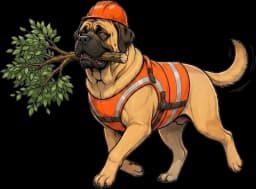
Dozer, the Mastiff mascot, trotting off with a cleared branch

Job done. Brought back.

Run your operation like a production line

Mastiff Free includes one active job for $0 forever. When you need to run more work at once, attach a card and try a paid plan for 7 days; cancellation returns you to Free.

1 active job + 1 active quote free forever